

Revised September 2026. U.S. prices below were checked August 24, 2026, and will change. Menu paths and cancellation guidance were checked against Apple, Google, Amazon, the CFPB, and FTC materials.
You sit down to watch something and a small notice appears: your plan is changing. The show is starting, so you tap past it.
Then one day you look at a bank statement and find seven charges connected to television. You can confidently name four.
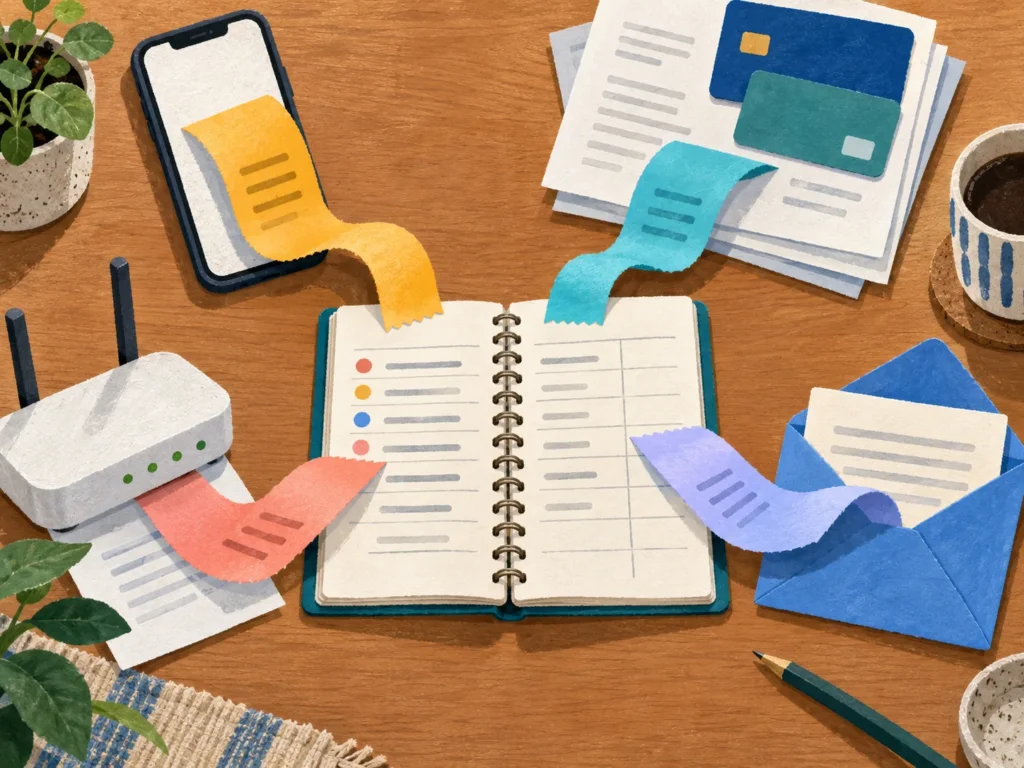
That does not mean you were careless. Streaming charges scatter themselves across app stores, credit cards, Amazon, internet plans, old email addresses, and sometimes an account belonging to another member of the household. No single screen shows the whole picture.
The fix is not a heroic cancellation spree. Give the bill twenty focused minutes, find out what is actually running, and keep only what you are using now.
Start with four places
Check these in order:
- Your phone’s subscription list
- Three months of card and bank statements
- Your Amazon, internet, and mobile accounts
- Your email receipts
The phone list is the fastest place to begin.
- iPhone or iPad: Settings → your name → Subscriptions
- Android: Google Play Store → profile picture → Payments & subscriptions → Subscriptions
Those screens show subscriptions billed through Apple or Google, along with the price and renewal date. They do not show everything you bought directly from a company’s website, which is why the statement check matters.
One recommendation before we begin: do not pay for six streaming services all year unless you are genuinely using six streaming services all year. Keep one or two and rotate the others. Most stand-alone streaming plans can be cancelled without a long-term contract, and cancelling ordinarily leaves access open until the end of the period you already paid for. Check the service’s terms before assuming, especially with bundles, annual plans, or offers tied to a phone or internet package.
Why the total stopped feeling small
Each subscription may still look tolerable by itself. The pile is the problem.
Here was the monthly U.S. price snapshot on August 24, 2026, before tax:
| Service | With ads | Without ads |
|---|---|---|
| Netflix | $8.99 | $19.99 Standard · $26.99 Premium |
| HBO Max | $10.99 | $18.49 · $22.99 Premium |
| Disney+ and Hulu bundle | $12.99 | $19.99 |
| Paramount+ | $8.99 | $13.99 |
| Peacock | $10.99 | $16.99 |
| Prime Video by itself | $8.99 | About $11.99 with the ad-free option |
| Apple TV+ | — | $12.99 |
Four ad-free plans can now land around $70 to $80 a month. That is cable-bill territory, reached one reasonable signup at a time.
The ad-free upgrade also deserves an honest look. At this snapshot, the difference between Netflix’s ad-supported plan and its Standard plan was $11 a month, or $132 a year. Avoiding ads may be worth every penny to you. The useful question is whether you chose that tradeoff recently—or inherited it from a decision made three price increases ago.
Streaming companies do announce price changes, but the notice often arrives as an email, a billing message, or a screen you dismiss because you came to watch television, not renegotiate a household expense. The larger charge then blends into the statement. That is not necessarily a billing error. It is a recurring payment doing what recurring payments do best: continuing quietly.
First: check subscriptions billed through your phone
This part takes about five minutes.
On an iPhone or iPad
- Open Settings, the gray gear icon.
- Tap your name at the top.
- Tap Subscriptions.
- Review the active subscriptions, their prices, and renewal dates.
- To stop one, tap it and choose Cancel Subscription or Cancel All Services if that is the option shown. Scroll down if you do not see the button immediately, then confirm.
If there is no cancellation button and the screen shows an expiration message, the subscription may already be cancelled. Read the status before tapping around further.
Apple advises cancelling a free or discounted trial at least 24 hours before it ends if you do not want it to renew.
On a Samsung Galaxy, Pixel, or another Android phone
- Open the Google Play Store, the multicolored triangle.
- Tap your profile picture in the upper-right corner.
- Tap Payments & subscriptions, then Subscriptions.
- Choose the subscription you want to stop.
- Tap Cancel subscription and follow the prompts.
The Play Store path is generally the same across current Android phones because the billing screen belongs to Google Play, not Samsung or Pixel. If the labels differ, make sure the Play Store app is up to date and that you are signed into the Google account used for the purchase.
Prefer a larger screen? Visit Google Play subscriptions on a computer and sign into that same Google account.
Deleting an Android app does not cancel its subscription. Google calls this out explicitly, which suggests plenty of sensible people have assumed otherwise.
Then do the part that finds the expensive surprises
The Apple and Google lists cover only charges processed through those companies. A subscription purchased on Netflix.com, a newspaper’s website, or another company’s checkout page can bill your card directly and never appear there.
Pull up the last three months for every card and bank account you commonly use. One month is not enough; quarterly charges disappear from view that way, and annual renewals are easier to spot when you widen the search.
You do not need to audit every sandwich. Look for:
- the same merchant appearing more than once;
- a television, music, news, software, fitness, or membership charge you cannot immediately explain;
- small recurring charges whose amount has changed; and
- larger annual charges.
Merchant names can be surprisingly unhelpful. Before treating an unfamiliar name as fraud, search the exact statement description in quotation marks, check your email, or call the number printed on the back of the card. Do not use a phone number supplied in a suspicious email or text.
If nobody in the household recognizes the charge after checking, move out of “subscription cleanup” mode and into “unrecognized charge” mode: contact the card issuer promptly and follow its dispute process.
Check the bills that do not look like streaming bills
This is where a subscription can sit for years.
Amazon: Prime Video Channels are billed through Amazon rather than Apple, Google, or the streaming service itself. In your Amazon account, open Memberships & Subscriptions and review both channel subscriptions and memberships. Amazon changes its navigation occasionally, so use the account search if that label has moved.
Internet and mobile service: A carrier may include a streaming service free, at a discount, or free only for an introductory period. Read the itemized bill and the plan-benefits page. Cancelling the streaming account separately could also affect a bundle, so check the terms first.
Old app-store accounts: If you moved from Android to iPhone—or the other way around—check the account used on the previous phone. Also ask whether anyone in the household has a second Apple Account or Google account. A subscription follows the billing account, not the device currently in your hand.
Finally, search your email for “subscription,” “receipt,” “renewal,” “price change,” and “welcome to.” Add the service name when the search is noisy. Email is particularly good at finding the annual subscription that has no app on your home screen and has been renewing with great confidence.
Make three piles, not twelve complicated decisions
For each service, choose one:
- Keep it. You use it enough to justify the price.
- Change the plan. An ad-supported tier, bundle, or annual option may fit better—but compare the real yearly total and any loss of flexibility.
- Cancel it for now. Come back when there is something you want to watch.
That third choice is the useful one. Cancelling a streaming service does not have to be a declaration of principle. It can mean, “There is nothing here for me this month.”
Suppose a household keeps Netflix and Hulu most of the year. In October, everyone wants a series on Apple TV+, so they subscribe for a month and cancel the renewal immediately. In December, they visit Max instead. The characters are imaginary; the arithmetic is not. Paying for two continuing services and two one-month visits costs far less than leaving four services running for twelve months.

Cancelling on the day you subscribe may feel strange, but for a typical month-to-month streaming plan you retain access through the paid period. Confirm the date shown on the cancellation screen, then put the return date on your calendar if there is a future release you care about.
A few catches worth knowing
Cancellation is not usually a refund. It normally stops the next renewal while leaving the current paid period open. Read the confirmation screen and save the email.
A free trial can renew before you remember it exists. Set a reminder when you start the trial, not three weeks later when memory is expected to perform a small miracle. Apple recommends cancelling at least 24 hours before a trial ends.
Some subscriptions are deliberately harder to leave. The FTC’s 2024 “click-to-cancel” rule would have required an easy cancellation mechanism, but a federal appeals court vacated the rule in July 2025. The FTC began a new review of its Negative Option Rule in 2026. As of this revision, there is no nationwide federal rule requiring every company to let you cancel through the same easy method you used to enroll, although state laws may provide additional rights.
If a company forces you into chat or a phone call, ask plainly: “Please cancel my subscription and send me written confirmation.” Save the transcript, email, confirmation number, and a screenshot of the final status.
Stopping the bank payment does not erase the agreement. The CFPB explains how to revoke authorization for automatic debits and ask a bank for a stop-payment order, but stopping a debit does not by itself cancel a contract or amount you legitimately owe. Use that route when a company continues debiting after you revoked permission—not as the first cancellation step. Fees and timing requirements can apply.
Profiles and watch history are not equally durable everywhere. Before cancelling, note the episode of a half-finished series and anything else you would be annoyed to lose. Downloads generally stop working when access ends.
The cheaper tier may have more than ads. Some services restrict downloads, video quality, simultaneous streams, or parts of the catalog by plan. Check the comparison screen before changing tiers.
The twenty-minute version
If you do nothing else today, open the subscriptions screen on your phone. It takes very little time and may show a charge you can stop before its next renewal.
When you have another fifteen minutes:
- Scan three months of statements for repeats and annual charges.
- Check Amazon, your internet or mobile plan, and any old app-store account.
- Keep one or two core services and rotate the rest when there is something you actually want.
- Save every cancellation confirmation.
You do not have to watch less television. You only have to stop paying during the months when you are not watching it.
Related: Someone Called Sounding Exactly Like My Grandson. It Wasn’t Him. — if a charge is truly unfamiliar rather than merely forgotten, start by treating it as an account-security problem.
Did you find one you had forgotten? Tell me what it was and where it was hiding. The strange hiding places are often the useful ones.
Sources
- Apple — If you want to cancel a subscription from Apple
- Google Play Help — Cancel, pause, or change a subscription on Google Play
- Amazon — Manage Your Subscriptions with Amazon Subscriptions
- Consumer Financial Protection Bureau — How do I stop automatic payments from my bank account?
- Federal Trade Commission — Negative Option Rule
- Sidley — U.S. FTC signals renewed interest in “click-to-cancel” rulemaking
- Tom’s Guide — What streaming costs in 2026
- CNBC — Netflix raises prices across all streaming plans
- Deadline — Streamer subscription prices and tiers